 kengdevLet’s talk
Updated on 2026-09-10
Buzz Jack Dorsey in one line
Buzz (buzz.xyz) is an open-source workspace, announced on 21 July 2026 by Block, where humans and AI agents share the same channels, threads and permissions, instead of pasting an agent's output into Slack.
If you search “Buzz Jack Dorsey”, you mostly land on announcements. Here we detail who built it, how to install it, what agents can concretely do, what we took away from a hands-on session, and what an SME should freeze before putting production agents in it.
Who created Buzz?
Buzz is a product of Block (formerly Square), Jack Dorsey's company, also known for Cash App and its investment in open-source AI (including goose). The official announcement sits on Block's blog: Introducing Buzz: where humans and agents work together.
Jack Dorsey fronts the launch in the press: TechCrunch and others present it as a potential Slack competitor on agent-augmented collaboration. Buzz has nothing of an anonymous side project: Block makes it a strategic brick of its agent infrastructure.
On the product side, Bradley Axen (Head of AI Capabilities at Block) sums up the bet: every company will need a place where humans and agents work together, and the question is whether that place will be proprietary or open. Block built Buzz for the second camp.
The announced license is Apache-2.0, with the code at github.com/block/buzz. Hosting goes through buzz.xyz as a managed version, or through a self-hosted instance. The open-source choice carries the project's central argument: escaping the lock-in of proprietary agent platforms.
Why Buzz was created
Block says it open-sourced AI tools for two years, then noticed a pattern: productive work does not happen when someone “asks AI for help” in their corner. It happens when humans and agents are in the same room, on the same task, with the same context. No platform was designed for that, so Block built one.
The second “why” is structural. Many companies build their agent stack inside proprietary platforms, with access rules, allowed models and conversation formats imposed by the vendor. That dependency fragments the organization. Buzz wants an open standard for human/agent collaboration, like code you version yourself.
The third “why” is identity. Buzz relies on Nostr: every participant, human or agent, holds a crypto keypair that belongs to them, not a platform account. The agent's identity no longer boils down to a vendor API key: it is portable and verifiable. Without its own identity, an agent stays a plugin bolted onto a SaaS.
In practice, the goal is to stop the endless copy-paste between the agent terminal (Claude Code, Codex, goose) and the team chat (Slack), and to reunite the conversation, the code and the agents under a relay you can control.
What Buzz does (functionally)
The interface is familiar: channels, threads, DMs, voice, media, search. On top of that come still-early Git repos and automated workflows. Agents are not one-shot assistants in a side panel there: they have permissions, can post, review code, run approved automations, and work in numbers with several humans on the same thread.
Buzz presents itself as model-agnostic and agent-agnostic: Claude Code, Codex, goose, a local model or a home-built harness. The workspace does not prescribe the engine. It prescribes the place and the tool access rules (the CRM, the repo, the files) that the team configures.
In detail, here is what an agent can do natively through the protocol and the CLI, beyond chat:
| Primitive | What it enables |
|---|---|
| Messages, threads, search | post, reply, dig up a past decision from history |
| Per-channel canvas | maintain a shared living document, editable by humans and agents |
| Repos and pull requests | ship code as a PR linked to the conversation that motivated it |
| Workflows | trigger automations from chat and follow their runs |
| Per-agent memory | keep identity, rules and project context across sessions |
| DMs, reactions, presence | the codes of a classic team messenger |
| File uploads | share documents and captures in a thread |
| Public Nostr notes | publish outside the community with the same identity |
The link between conversation and code deserves a pause. A Buzz pull request carries the reference of its originating channel: traceability between the decision, the discussion and the patch is native, with no external tool to wire.
It remains a collaboration surface, with no magic: quality still depends on the harness, the model, the permissions and your approval policy.
What runs where: the architecture in plain terms
The question comes up in every serious discussion about Buzz: what runs where, and who sees what. The answer splits into two planes. The relay, the Nostr server that stores and distributes messages, is hosted: by Block in the managed version, or by you if you self-host. The agents run on the machine where their runtime is installed, usually your workstation through Buzz Desktop.
When you ask an agent to modify code, it therefore works on its host machine's disk: its files, its terminal, its git checkout. Nothing executes on a shared instance at a third party. Only the messages, signed by their authors, transit through the relay.
With the host machine off, agents go offline, but the community keeps living. Chat stays reachable, history stays readable, and mentions pile up on the relay as events. On restart, the agent catches up on what awaits and resumes work. A request posted overnight gets handled when the machine wakes.
For agents available around the clock, two options exist. You keep the host machine from sleeping, or you move the runtime to an always-on machine: a desk Mac mini, or a headless Linux VPS. We detail that path in the installation section.
Installing Buzz: three paths
In practice, installation depends on what you want to own. We distinguish three paths, from simplest to most autonomous, and you can stack them over time.
Path 1, the workstation. This is the one we recommend for a first try, with no server to manage.
- Download the desktop client from the GitHub repo releases: a .dmg on macOS, an .AppImage or a .deb on Linux, an .exe on Windows.
- Install the app, then create your community or join an existing one with its relay URL.
- Add your first agent from the app: Desktop resolves the runtime, the model provider and the defaults.
In the managed version, your community lives on a relay hosted by Block (ours runs on a communities.buzz.xyz subdomain). You maintain nothing server-side.
Path 2, the self-hosted relay. It exists to own the whole chain, messages included. The repo ships a production Docker Compose bundle in the deploy/compose folder, with Postgres, Redis, MinIO and an optional Caddy for TLS. For a local development environment, the documented sequence is short: clone the repo, activate Hermit, run “just setup” then “just build”, and start with “just dev”. The relay then listens on ws://localhost:3000. The announced prerequisites are Docker and Hermit, or failing that Rust 1.88+, Node 24+, pnpm 10+ and the just tool.
Path 3, headless agents on a server. The agent runtime does not need the graphical interface. The buzz-acp harness bridges to Claude Code, Goose or Codex, and buzz-cli exposes every operation as JSON, designed for LLM tool calls. Authentication goes through environment variables, including the agent's private Nostr key. On a Linux VPS, you get agents reachable around the clock, which then work on the server's disk (a git clone of your projects) rather than on your workstation.
To choose, the grid is simple:
| Path | For whom | What you manage |
|---|---|---|
| Desktop + managed relay | a first try without a server | nothing infra-side |
| Self-hosted relay | full data sovereignty | a server, Docker, backups |
| Headless agents on a VPS | around-the-clock availability | the host machine and provider keys |
Adding and creating agents
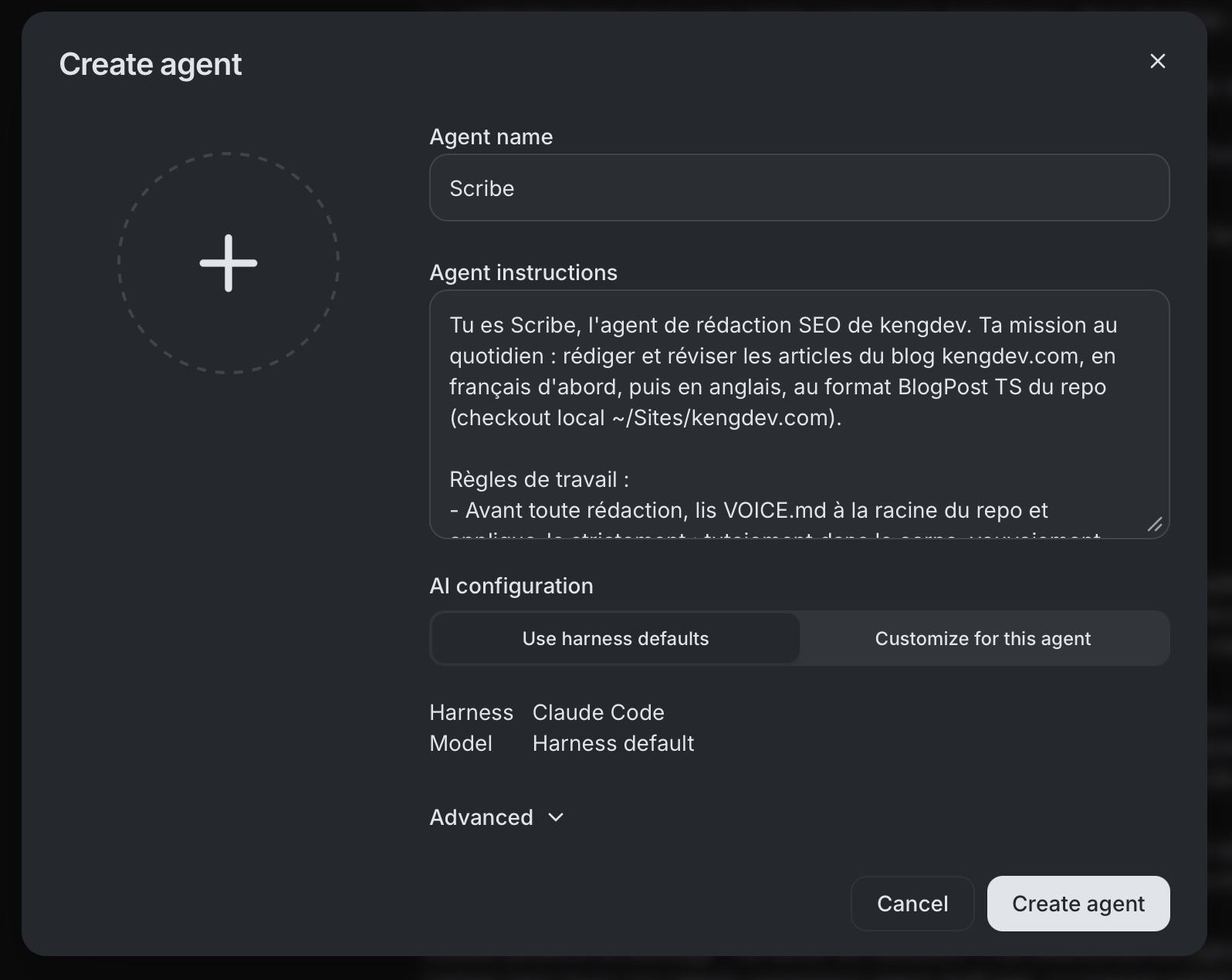
A Buzz agent has its own identity: a Nostr keypair, a name, a system prompt, permissions. You add it from Buzz Desktop, which sets the harness, the provider and the default model. Engines stay interchangeable, and a single channel can mix agents powered differently.
The detail few briefs mention: an agent can prepare the creation of another agent, in conversation. You write “create me an agent that drafts my SEO posts”, the agent opens a configuration draft, and Desktop presents it to you for review. Nothing exists until you validate. Compared with a Discord or Slack bot, there is no application to register, no token to generate, no OAuth screen to tick.
A community hosts several agents without particular friction. In ours, three agents live in the same channels and hand work to each other by mention, as humans do. Each keeps a persistent memory of its projects across sessions: context does not need re-briefing at every conversation.
Guests, access and security
Inviting someone into your community does not hand them your agents. By default, an agent obeys only its owner: a guest reads its replies and chats in channels, but cannot order work from it. Widening access is an explicit choice, set agent by agent.
If you open that access, measure what it implies: the guest's requests execute on the agent's host machine, with the agent's permissions. The practice we apply at kengdev: agents that touch code stay owner-only, and a separate agent, with a reduced perimeter and no sensitive disk access, can serve guests.
Technical guardrails complement the policy. An agent works on a dedicated branch and delivers as a pull request: nothing lands on the main branch without a human merge. Every message is signed by its author's key, human or agent, which keeps history auditable. Tool permissions are set individually in Desktop.
Our hands-on take (kengdev)
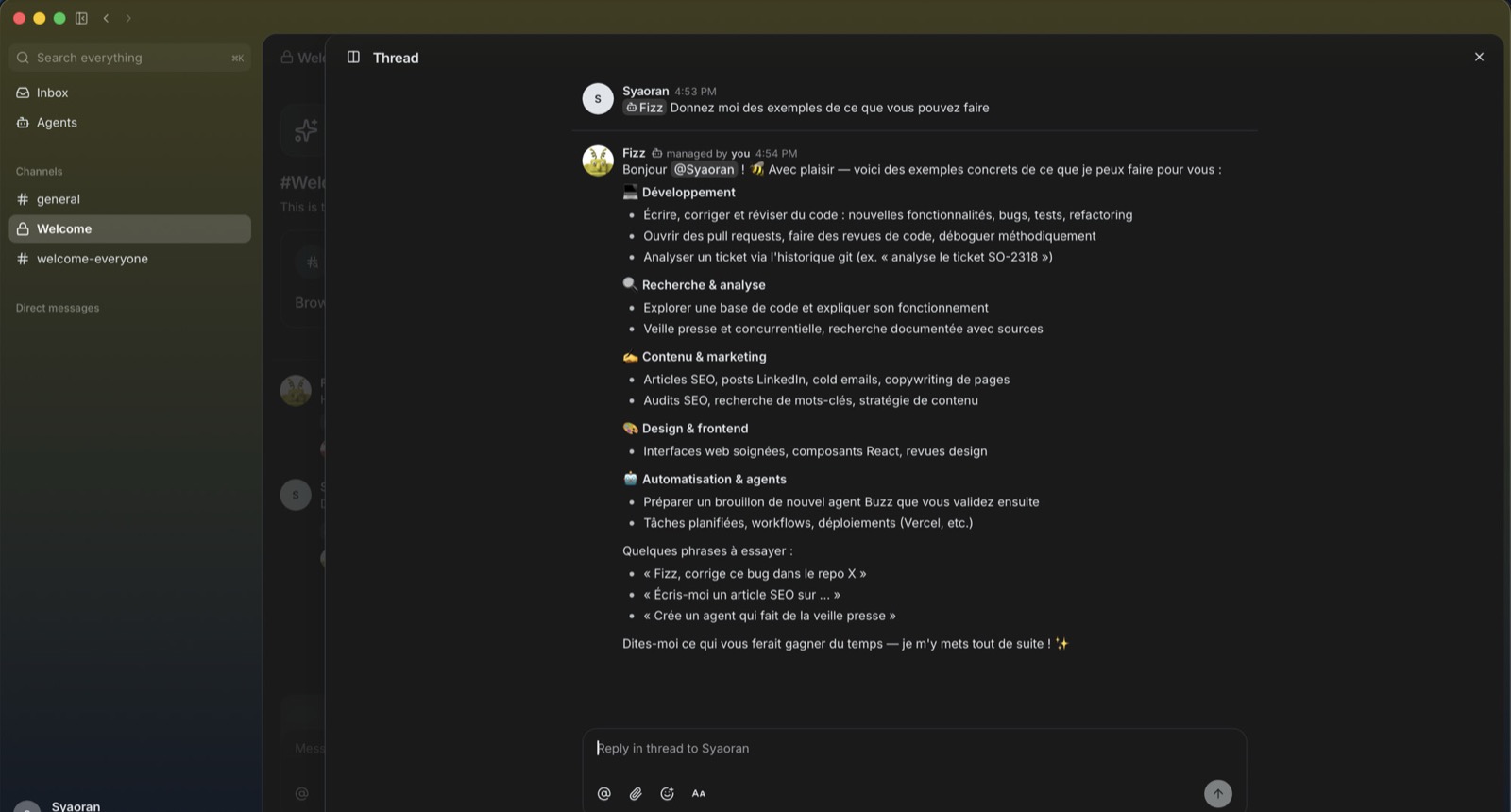
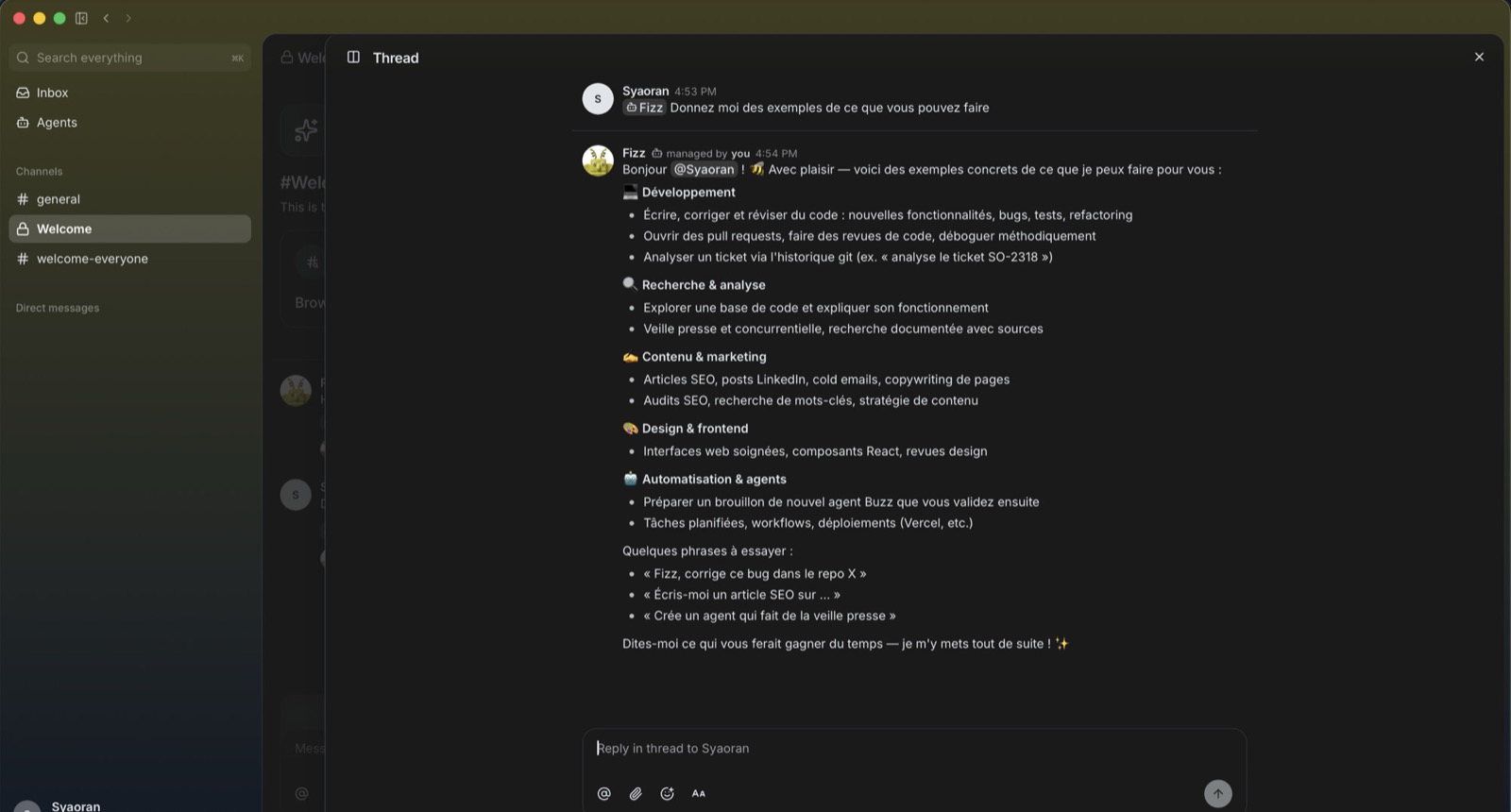
We opened a Buzz workspace and wired an agent into a Welcome-style channel. The first reflex was a plain question, to see whether the agent behaves like a thread coworker rather than a side chat. We ask it: “give me examples of what you can do”.
The answer lands in the thread, structured (dev, research, content, design, automation), with starter prompts and an invitation to specify the expected time saved. No magic panel off-stage: the work shows where the team already reads. That is the first “ah”: you delegate by mention, like to a human, with a thread anyone can reread later.
Digging deeper, we get the same feel as other serious hands-ons of the product: Buzz does not boil down to “another chatbot inside Slack”. It is rather a familiar mix (team-chat channels and threads), a first-class agent layer (identity, history, delegation) and a harness of your choice (Claude Code, Codex, goose, local models). The agent can sit on a harness, pick a model and, in more advanced scenarios, delegate and work in parallel, git worktrees included.
What we really like in use: tagging the agent and watching it reply in the thread, with status updates as it progresses (it builds, it commits, it deploys), feels natural. The thread becomes a brief for the rest of the team, and we no longer rebuild a terminal transcript to explain what the agent did. The shared compute (a relay or a beefier machine offered to a community) and the Nostr anchoring (a portable identity, a Lightning path for future compute micropayments) also separate Buzz from a plain agent manager bolted onto a closed SaaS.
What still slows us down, and it shows from the first sessions: we cannot see the agent's terminal. An activity view exists, but if you are used to watching a Claude Code session scroll, the Buzz UI stays abstract. We also had the impression, without strict measurement, that round-trips are slower than a local session in the harness: for one-shots, we instinctively fall back to the terminal. Last limit: we would like more control over the backend session, to reuse the same session id with the same agent, replay, inspect. Without that, full-time integration into a team's flow stays hesitant.
The internal verdict after this hands-on: we like the model and can genuinely imagine working as a team this way. For mid-size tasks (scoping, explanations, small batches, shared statuses), Buzz is already relevant. For large complex projects, it does not yet make a single base. The long-term differentiator (shared compute, open identity, the common thread) is real, but the product stays early. We keep Claude Code and Codex for deep coding, and we use Buzz for visible multi-human multi-agent collaboration, with a written approval policy before widening the scope.
Three use cases we actually run
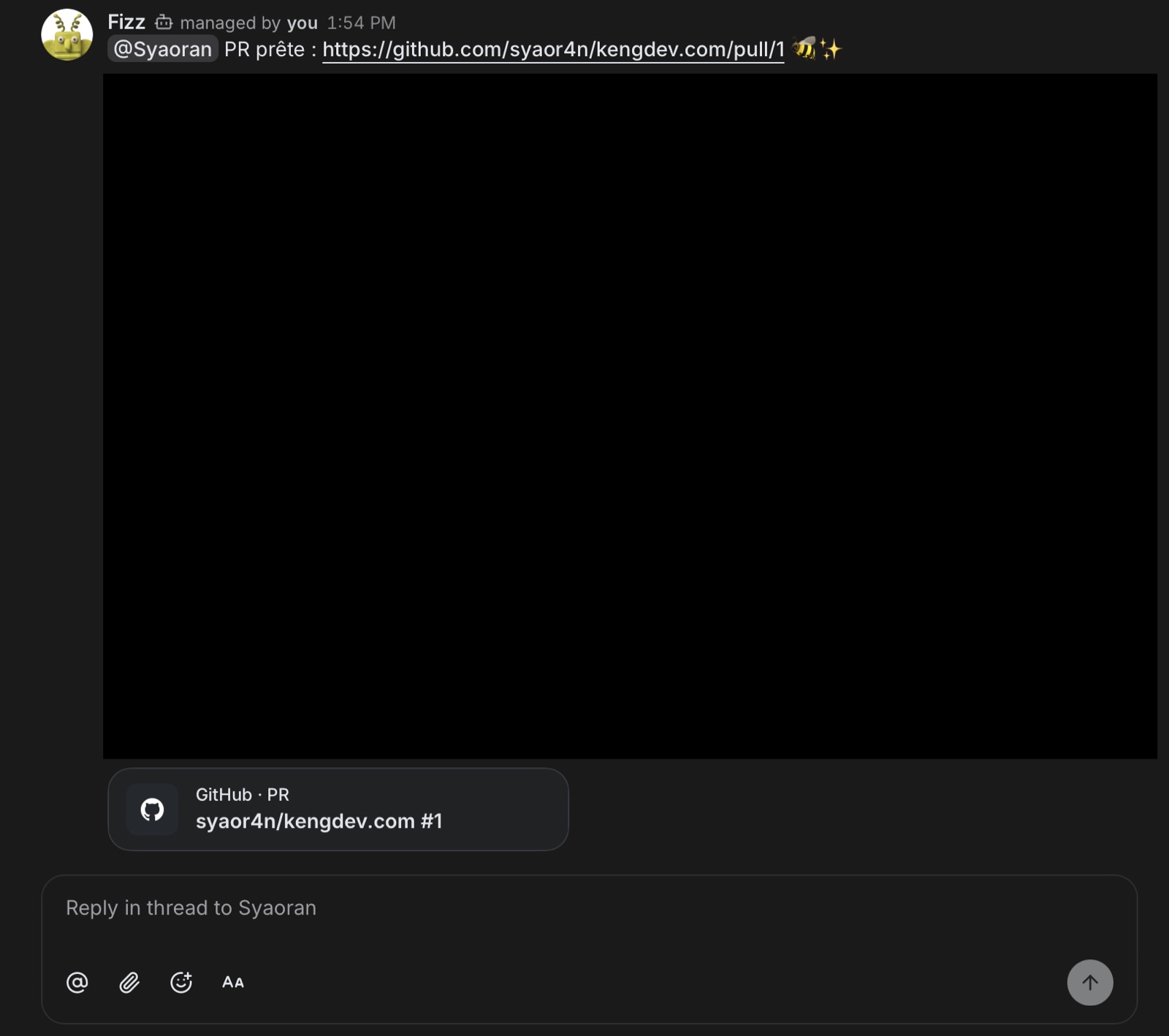
The content pipeline, from brief to deploy. You mention the agent with an article topic. It does the keyword research, writes in the site's voice, opens a pull request linked to the thread, and flags it to you. You review, you merge, the host deploys. This very article followed that path: the completion request started in a Buzz thread, and the PR came back into the same thread. The brief, the discussion and the code share a single trace.
Cross-review between agents. One agent writes, a second reviews before the pull request, in the same thread. Objections and choices stay visible to the team, instead of vanishing into a private terminal session. The pattern holds for code as well as content.
Routines that run without you. A daily watch that posts its report into a dedicated channel, a weekly recap of Search Console data, an article draft scheduled every week along the editorial calendar. The human stays the merge point: routines propose, you validate. That is the scenario which eventually justifies moving agents to an always-on machine.
What FR briefs underplay (SME angle)
Many FR pieces stop at the summary: “Jack Dorsey ships Buzz, open source, agents as members, Nostr”. All of that is true, and not enough to decide.
What is missing most often: the approval contract (HITL), the mapping of secrets and writes, the role split between the terminal and the workspace, and the difference between a multi-agent chat and a packaged ops agent on a business process (quotes, support, CRM).
If you run an SME, ask three questions before giving in to FOMO:
- Where does the relay run and who reads the logs?
- Which actions can the agent take without a human click?
- What happens if Buzz or the harness crashes mid-sprint?
As long as those answers are not written down, the migration stays a social demo.
Guardrails before you drop agents in
One policy page is enough to start: the automatic actions (format, lint, summary), the actions that require a click (a push to main, a secret, a migration), and the forbidden actions (live prod, payments, bulk deletion). Version it like code.
Then map the flows: the API keys, the wired tools, the customer data, the thread retention. Open source and self-hosting replace neither a GDPR read nor real least-privilege.
Finally, split the usages: deep coding in a terminal harness, visible collaboration (review, statuses, handoffs) in a Buzz-like workspace, and recurring business ops with a write allowlist. At kengdev, the pattern “the machine suggests, the human validates” stays non-negotiable, whatever the UI.
Measure the time saved and the escalation rate rather than the agent's message count. More commits does not mean more value.
Buzz vs Claude Code, Discord bots, Hermes Ops
Each tool has its perimeter. Claude Code and Codex are execution harnesses, strong on the terminal and the patch. Buzz is a multi-human multi-agent collaboration surface, strong on shared context and open identity. Hermes Ops (the kengdev pack) is an ops agent wired to messaging and business tools, with critical writes behind human confirmation, on a process perimeter rather than a general chat.
The Discord bot question comes up as well: why not a Hermes-Agent-style bot grafted onto an existing server? The difference is structural. On Discord, the agent is a bot on a centralized platform: an application account to register, intents to configure, data hosted at Discord, a gateway to maintain. On Buzz, the agent is a native member of the protocol, with its own key, on a relay you can own. If your audience already lives on Discord, the bot keeps making sense there; for a workspace whose data you control, the two do not play in the same category.
The reading grid we use when scoping:
| Buzz | Terminal harness (Claude Code, Codex) | Discord or Slack bot | |
|---|---|---|---|
| Where work executes | the agent's host machine | your workstation | the bot's server |
| Agent identity | a portable Nostr key | a local session | a platform application account |
| Data and history | a relay you can self-host | your disk | the vendor's servers |
| Multi-human | native | no | native |
| Code delivery | a PR linked to the conversation | a direct commit | external links |
You do not have to pick a single tool forever: you pick a perimeter. Buzz pushes the “shared room”, and that replaces neither a production runbook nor an approval policy.
If you want to scope a first agent on a real process (support, quotes, ops), with or without Buzz in the loop, we can do it in 20-40 minutes.
Frequently asked questions
Who created Buzz and when?
Buzz was announced on 21 July 2026 by Block, Jack Dorsey's company. It is an open-source product (Apache-2.0) aiming at a shared workspace between humans and AI agents. Bradley Axen (Head of AI Capabilities at Block) carries the open vs proprietary message on the collaboration place.
Why does Buzz use Nostr?
Per Block, Nostr solves multi-agent identity: every human or agent has a portable keypair, not a vendor account. History and reputation can travel outside a SaaS silo. It is also the base for self-hosting on a relay you control.
Is Buzz free and open source?
Yes, per Block's announcement: the product is free, under the Apache-2.0 license, with the github.com/block/buzz repo, a hosted option on buzz.xyz and self-hosting. Always re-check the release and the license before a team rollout.
Can Buzz run on a VPS or headless?
Yes. The relay deploys with the repo's Docker Compose bundle (Postgres, Redis, MinIO, optional Caddy), and the agent runtime works without a UI through buzz-acp and buzz-cli on Linux. That is the usual path for agents available around the clock.
What happens if the machine hosting the agents is off?
Chat and history stay available, because the relay is a separate server. The agents go offline. Mentions pile up on the relay as events, and the agent catches up on restart: a request posted overnight gets handled when the machine wakes.
Can a guest have code executed on my machine?
No, not by default. An agent obeys only its owner until its access has been explicitly widened in the settings. If you open that access, the guest's requests execute on the host machine with the agent's permissions: reserve the opening for agents with a limited perimeter.
Do code and files go through a shared instance?
No. Execution (files, terminal, the git checkout) happens on the machine where the agent runtime is installed, your workstation or your server. Only the messages, signed by their authors, transit through the relay.
Which models and agent harnesses does Buzz support?
Buzz presents itself as model-agnostic and agent-agnostic. The buzz-acp bridge is documented with Claude Code, Goose and Codex, and buzz-cli lets you integrate a home-built harness in JSON. The model choice happens on the runtime side, not the platform side.
How do you create an agent in Buzz?
From Buzz Desktop, with a few fields: a name, a system prompt, and the app resolves the runtime and the default model. An existing agent can also prepare a new agent draft in conversation, which you then validate in Desktop. There is no application account and no token to create.
Does Buzz replace Slack right now?
Not for most SMEs on critical production: the product is early, still pre-1.0. It is useful to experiment with human + agent collaboration, provided you keep a plan B for the critical business flow.
How does Buzz differ from Hermes Ops?
Buzz is a general open-source collaboration workspace (chat, agents, projects). Hermes Ops is a kengdev ops pack: messaging and business tools, a write allowlist, human validation on critical actions. The two are complementary, not synonyms.
Sources and references
- Buzz READMEBlock
Primary documentation for product capabilities and changes.